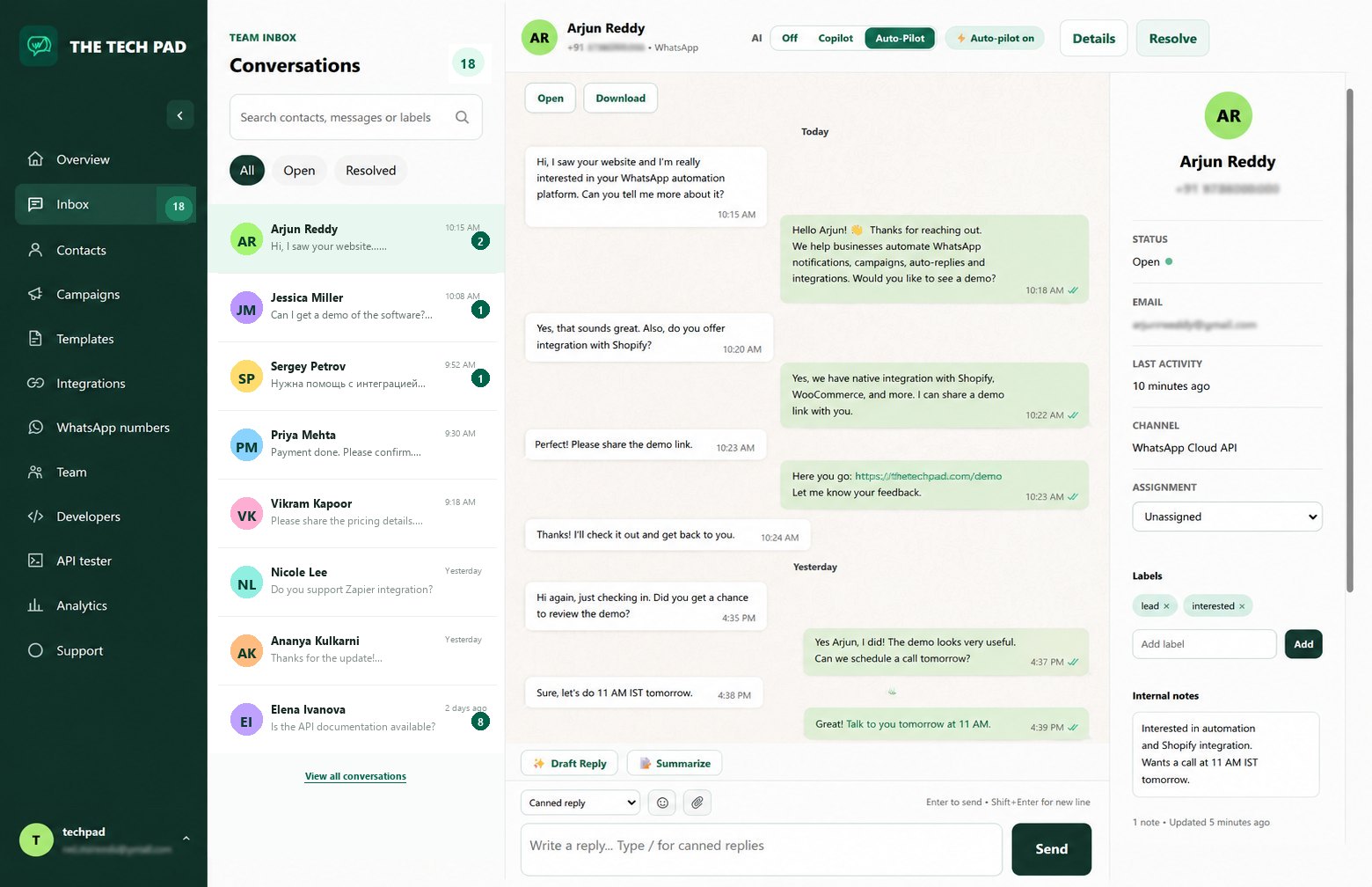
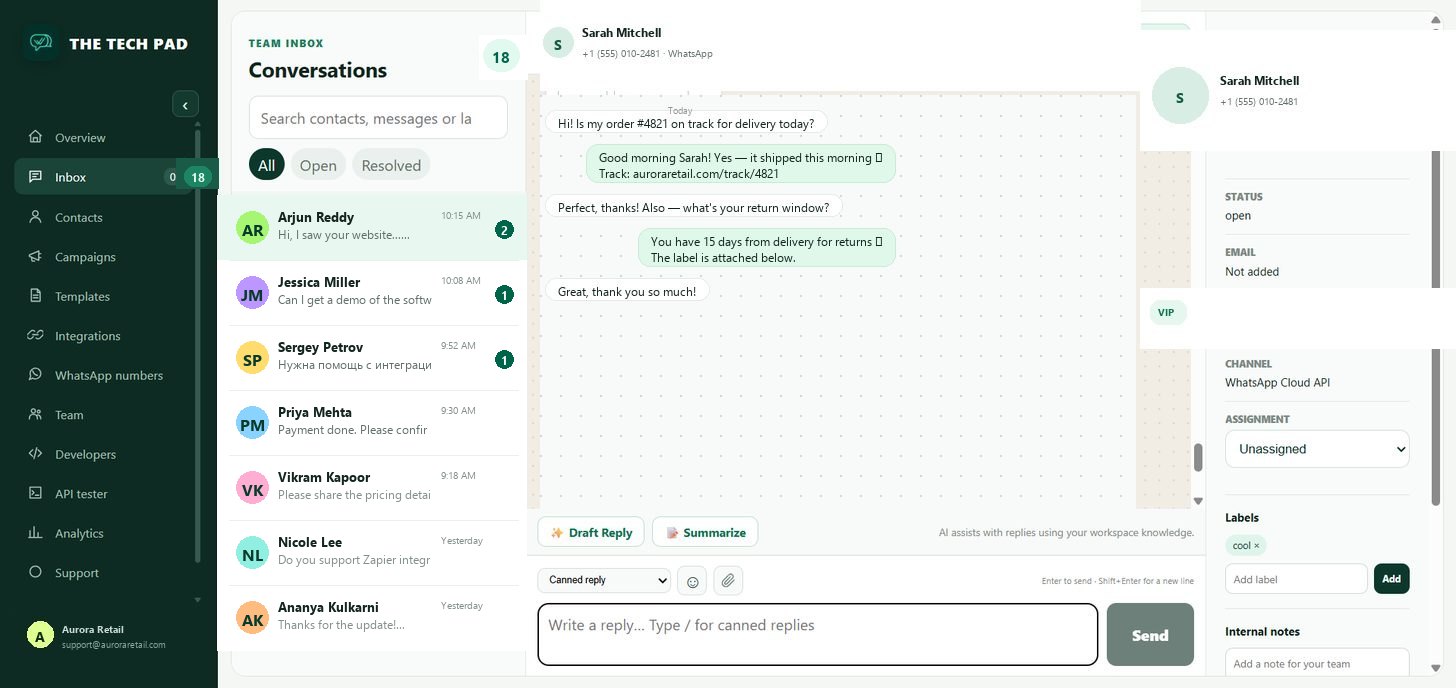
Customers message you on WhatsApp and chat with you on your website — answer both in one shared team inbox. AI Copilot drafts every reply, Auto-Pilot answers visitors instantly, and one knowledge base powers both channels.
Free web chat widget · Use your own WhatsApp number · Built on Meta Cloud API
👥 Multi-agent inbox · 12 open✦ AI Copilot · WhatsApp + web chat
Meta Cloud APIofficial API foundation
Your numberscustomer-owned Meta assets
Organization isolatedRLS-backed workspaces
API firstkeys, webhooks and logs
WhatsApp + Web Chat
Two ways customers reach you. One team inbox.
Website visitors and WhatsApp customers land in the same queue — answered by the same AI, tracked in the same analytics, handled by the same team.
FREE
Web Chat widget
Embed an AI chat widget on your website in two minutes — free forever. Auto-Pilot answers visitors instantly from your knowledge base, and you see their page, source and device before replying.
The official Meta Cloud API on your own number — shared team inbox, approved-template campaigns, delivery tracking, and Shopify & WooCommerce order automation.
Everything you need to run customer conversations, in one workspace.
Conversations, customers, campaigns, store integrations, AI and analytics — for WhatsApp and website chat, built for teams of one to one hundred.
☵
Multi-agent chat inbox
One inbox for WhatsApp and website chat, your whole team. Assign conversations, share the queue, follow sent → delivered → read states and hand off with notes — on desktop or mobile.
♙
Contacts & audiences
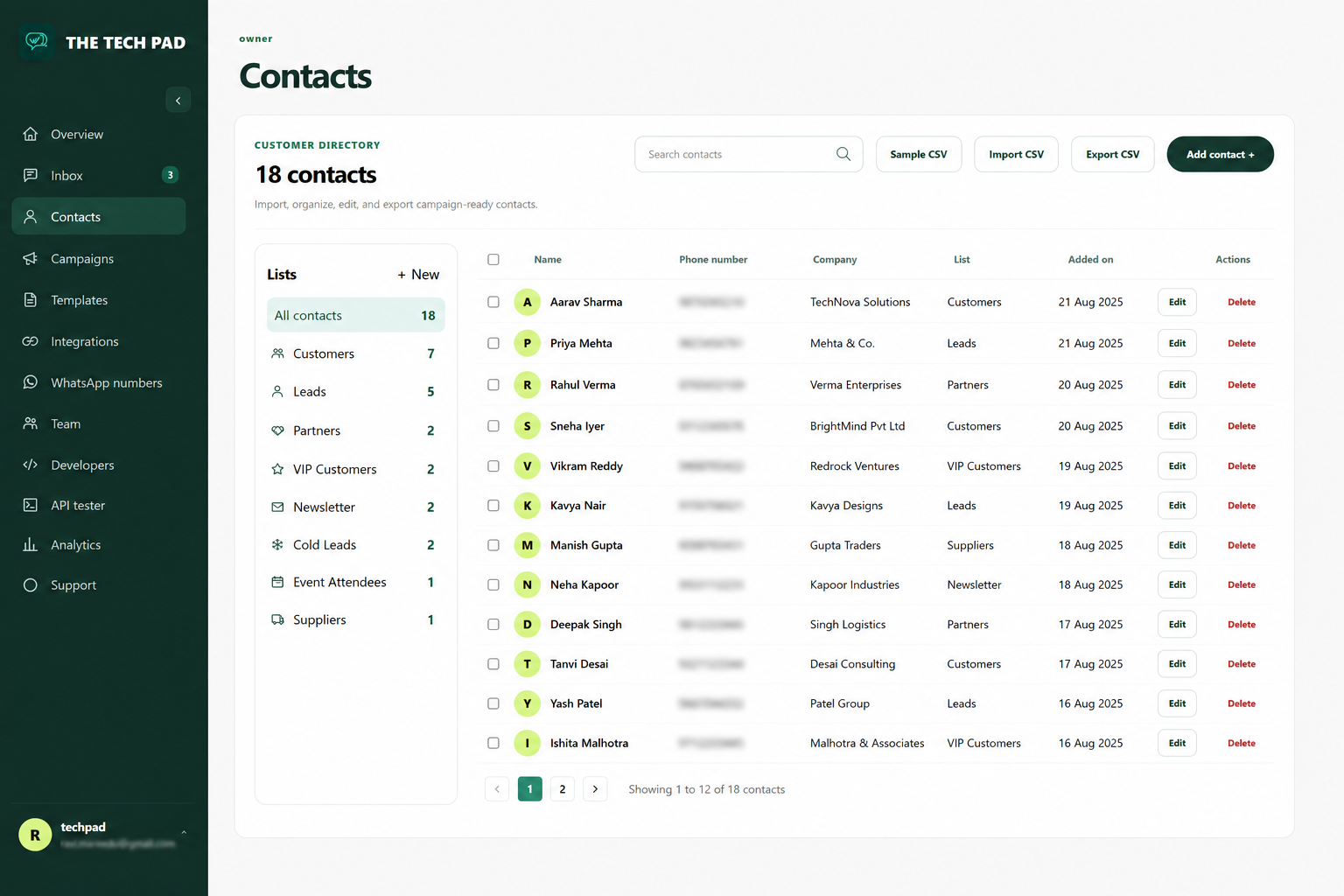
Consent-aware customer records, CSV import with validation, dedupe and saved lists ready for your next campaign.
↗
Campaigns & templates
Broadcast approved WhatsApp templates to all contacts, saved lists or validated CSV audiences — and track every recipient state.
◈
Shopify & WooCommerce
Connect your store and automate order confirmations, shipping updates, cancellations and abandoned-cart recovery as WhatsApp messages.
✦
AI Copilot & Auto-Pilot
One AI for every conversation — WhatsApp or web chat. Draft replies, summarize threads and answer from your knowledge base; Auto-Pilot sends with your approval.
⌗
Analytics & reporting
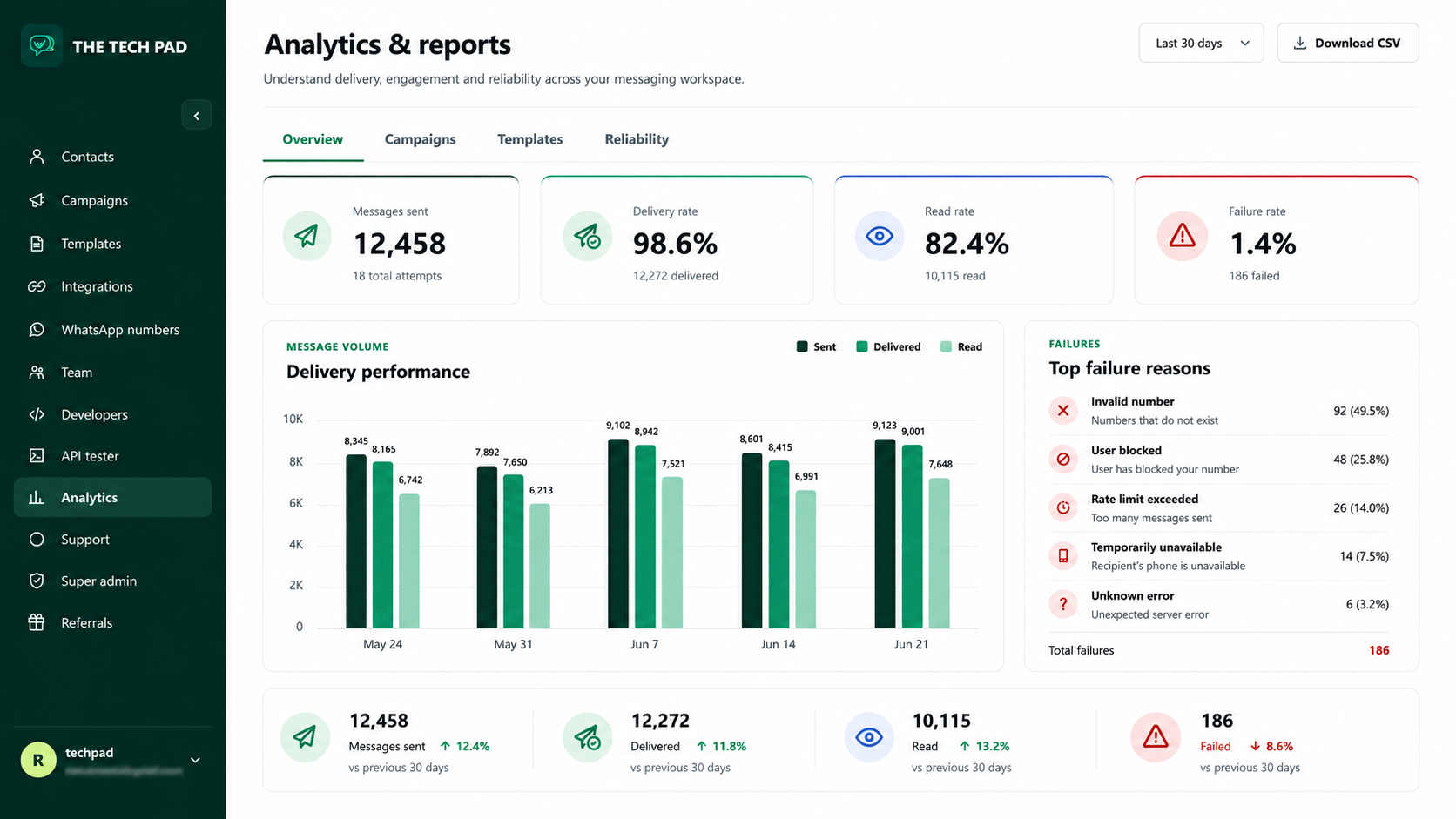
Delivery, read and failure rates across messages, campaigns and templates — with CSV export for deeper analysis.
Best-fit industries
10 industries that grow faster when WhatsApp runs like a real team workspace.
The Tech Pad works best where speed, follow-up, reminders, campaigns, and shared ownership matter. These are the verticals where one WhatsApp number can become a full sales, support, and retention engine.
Clinics
⚕
Turn appointment traffic into confirmed visits and reduce front-desk follow-up work.
Automate appointment reminders and follow-ups to reduce no-shows
Let staff handle patient questions in one shared inbox without number switching
Need your vertical on WhatsApp? Your first month is free when you start — then earn up to 5 more free months, one per business you refer that signs up and connects a WhatsApp number. Up to 6 months free total.
Customer conversations land in a shared inbox where your whole team can see who’s handling what. Assign chats to teammates, mention and hand off — without ever leaving the conversation.
Assign conversations to teammates and see who’s onlineSent, delivered and read states on every messageNotes, labels and clean handoffs between shiftsSame experience on desktop and mobile
Campaigns, templates & audiences
From contact list to measurable campaign.
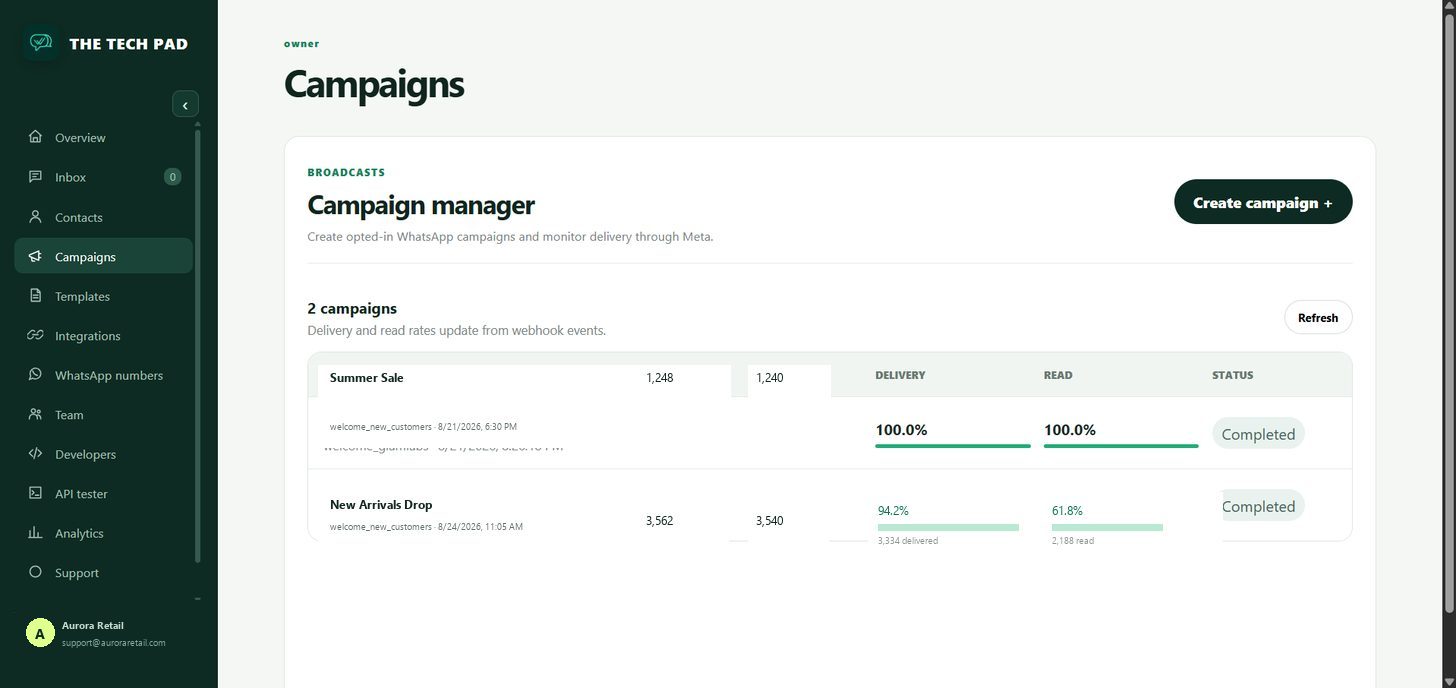
Import or manage contacts, build saved audiences, choose a connected sender and launch only approved WhatsApp templates — then watch delivery, read and failure rates in real time.
CSV import with normalization and row-level validationSaved lists, all contacts or CSV recipientsQueued, sent, delivered, read and failed resultsScheduling, cancellation, errors and CSV export
AI Copilot & Auto-Pilot
Your team’s fastest agent is the AI.
One AI brain for every conversation — WhatsApp and website chat. Auto-Pilot answers visitors instantly from your knowledge base; Copilot drafts replies your team reviews and sends. Same model, same knowledge, both channels.
✎
Draft Reply
One-tap, context-aware reply drafts in the workspace tone — on WhatsApp and web chat. Review, edit and send.
☰
Summarize
Condense any conversation into a clear handoff note before assigning or escalating.
✦
Auto-Pilot for visitors
Website visitors get instant answers from your knowledge base 24/7; WhatsApp replies are drafted for your team’s approval.
⚙
Your model, your data
DeepSeek, OpenAI, OpenRouter, Groq, Anthropic, Gemini or any OpenAI-compatible endpoint. Keys are stored server-side and never shown again.
Store integrations
Shopify & WooCommerce, automated on WhatsApp.
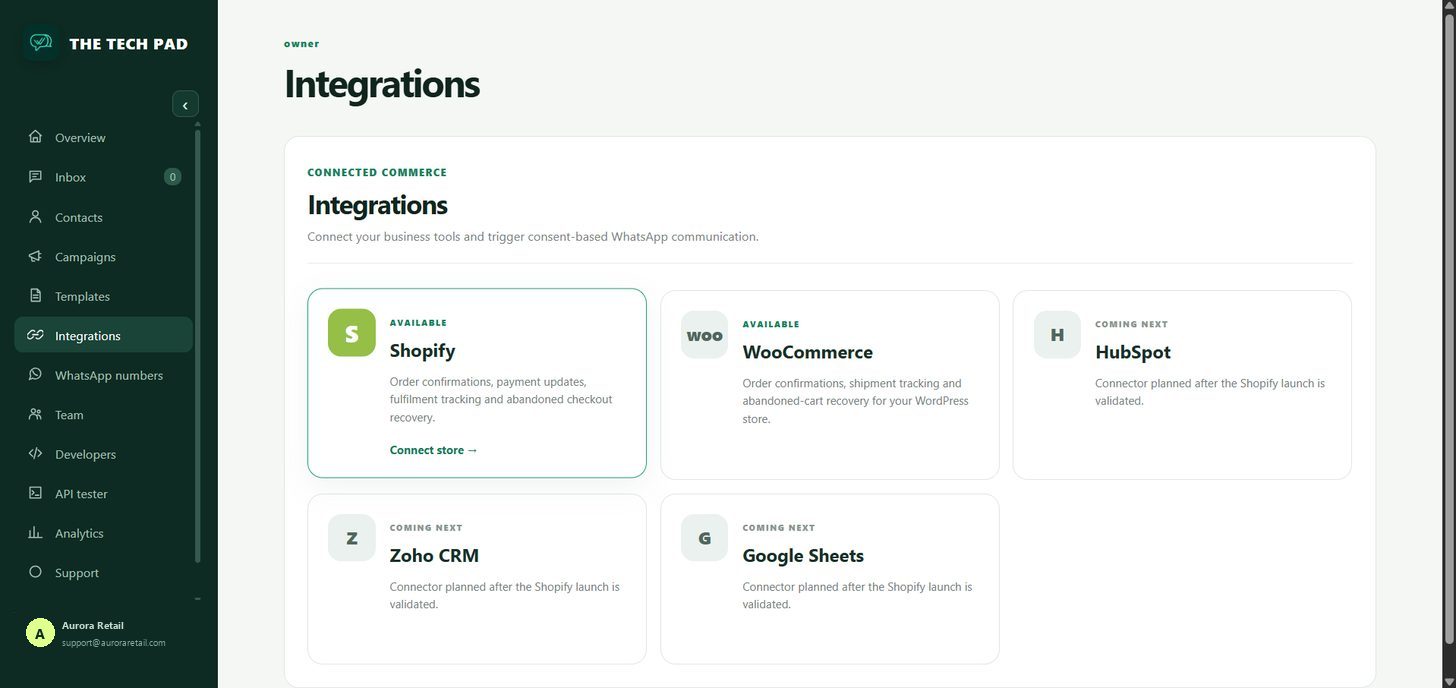
Connect your store once and automate the messages customers actually want — order confirmations, delivery updates, cancellations and abandoned-cart recovery — with status synced live into your conversations.
One-click Shopify connect from IntegrationsWordPress plugin for WooCommerce with install-code handshakeCart recovery funnels for abandoned checkoutsOrder status synced live into conversations
Every message, campaign and template reports back — so you can see exactly which messages customers actually received and read, and where things failed.
Delivery, read and failure rates at a glanceMessage, campaign and template performance7 / 30 / 90 day windowsCSV export for deeper analysis
Contacts & audiences
Consent-aware audiences, ready when you are.
Keep customer records clean and organized — import from CSV, validate and dedupe on the way in, then build saved audiences for targeted campaigns that respect opt-outs.
CSV import with validation and dedupeConsent tracking and opt-out respected everywhereSaved lists and audience segmentsFull contact history tied to conversations
♙
Built for teams
Invite teammates and manage supported roles, workspace settings and conversation ownership.
⌗
Useful reporting
Explore message, campaign and template performance over 7, 30 or 90 days and export CSV.
⌘
Secure workspaces
Organization isolation, role authorization and server-side actions keep privileged credentials out of the browser.
How it works
Start with your number. Grow with your team.
A guided path from a new workspace to real customer conversations.
01 / CREATE
Create your workspace
Sign up and set your organization name and timezone.
02 / CONNECT
Connect WhatsApp or embed the chat widget
Add your customer-owned WhatsApp Business number through Meta — or paste one script tag to put the free AI chat widget on your website.
03 / ORGANIZE
Add your team
Invite teammates and import or create customer contacts.
04 / GROW
Reply, automate and campaign
Manage conversations from both channels, let AI help and send approved-template campaigns.
Developer-ready
A focused API when you need it.
Create and revoke API keys, configure outbound webhooks, test authenticated requests and inspect request and delivery logs.
Start free — your first month is free. Choose yearly billing for two months free.
Your first month is free. Explore the complete workspace before choosing a paid plan.
💬 Web Chat is free. Embed the AI chat widget on your website — free forever. Remove the “Powered by The Tech Pad” link for $10 one-time per domain. See web chat pricing →
NO MONTHLY COMMITMENT
₹499 one time
Campaign Starter
For occasional campaigns.
1,000 platform messages
Campaign reporting
Template messaging
Canned messages
1,000 recipients per campaign1 WhatsApp number · 1 memberUp to 5 messages / minute
Yes. Conversations can be assigned to teammates or departments while customers continue messaging the same business number — everyone sees the same inbox, with clear ownership per chat.
Is the web chat widget really free?
Yes — the widget, the shared inbox and AI replies are free forever. The only optional charge is a one-time $10 per domain to remove the small “Powered by The Tech Pad” link.
Can I use WhatsApp and Web Chat together?
Yes — that’s the point. Website visitors and WhatsApp customers land in the same team inbox, answered by the same AI and knowledge base, with channel tags so your team always knows where a conversation came from.
Can I use my existing WhatsApp Business number?
Meta onboarding supports customer-owned Cloud API numbers and coexistence where available.
Can I send campaigns to any contact?
Campaigns use approved WhatsApp templates and consent-aware audiences. Meta rules and message eligibility still apply.
How does the AI Copilot work?
Draft Reply and Summarize work on any conversation. Copilot answers from your workspace knowledge base (FAQs, policies, product info) and Auto-Pilot can draft and send replies with your approval. Keys are stored server-side, never in the browser.
Can I connect my Shopify or WooCommerce store?
Yes. From Integrations you can connect a Shopify store with one click, or install the WooCommerce WordPress plugin (free download) to automate order confirmations, delivery updates, cancellations and cart recovery — all as WhatsApp messages.
Are Meta messaging fees included?
No. Meta WhatsApp messaging charges are separate from The Tech Pad’s platform subscription.
Put WhatsApp on any website — free.
Pick your platform, choose a button style, add your number — copy one line of code and paste it in. No app store, no account, no cost.